
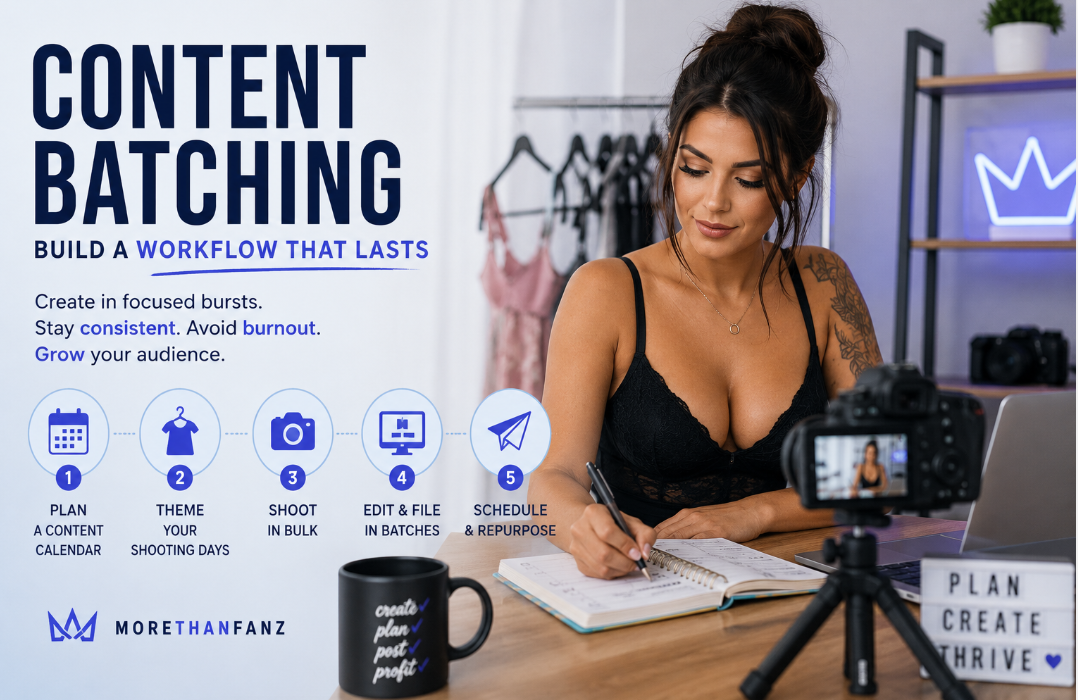
How Content Batching Builds a Workflow That Lasts
Posting consistently is one of the hardest parts of being a creator, and trying to film, edit, and publish something fresh every single day is the fastest route to burnout. There is a better way to work, and it starts with batching. Building a content creation workflow around batching means you produce in focused bursts, then draw on a stocked library for weeks, so your output stays steady even when your motivation does not.
This guide explains what batching is, why it beats daily posting, and how to build a simple five-step workflow you can repeat every month.
What Does Content Batching Actually Mean?
Content batching is the practice of grouping similar tasks and doing them in one go, rather than starting from scratch each day. Instead of shooting a little, editing a little, and posting a little every day, you dedicate one block of time to shooting, another to editing, and another to scheduling. Each batch produces enough material to cover days or weeks of posting.
The principle is simple: switching between different types of work is what drains you. Setting up to shoot, then breaking down to edit, then shifting again to write captions means you never build momentum. Batching keeps you in one mode at a time, which is faster and far less tiring.
Why Does Batching Beat Posting Daily?
Daily creation feels productive, but it quietly works against you in three ways.
First, consistency. When you rely on daily inspiration, a bad day or a quiet week leaves a gap in your posting, and gaps cost you visibility and income. A stocked library means you always have something ready.
Second, burnout. Being on camera, editing, and selling every single day with no break is exhausting, and exhaustion shows in the work. Batching gives you clear days and off days.
Third, quality. When you shoot in a focused session with your setup already in place, the work is more polished and more consistent than rushed daily snaps. Better systems produce better content.
Put together, these three forces compound. A creator who batches is more consistent, less exhausted, and produces better work, and each of those feeds the others. The audience notices a steady, polished feed, and that is what keeps them subscribed.
Step One: Plan a Content Calendar
Before you pick up a camera, decide what you are making. A content calendar does not need to be complicated. List the weeks ahead, note any themes, events, or promotions you want to hit, and work out roughly how many posts and pay-per-view pieces you need to fill them.
Planning first means your shooting day has direction. Instead of guessing on the spot, you arrive knowing exactly which sets, looks, and ideas you need to capture, which makes the whole session quicker.
Step Two: Theme Your Shooting Days
Group your ideas into themes so each shooting block has a clear focus. One day might cover a particular outfit or setting, another a different mood or concept. Theming keeps you organised and helps you get the most out of each setup, since you are not constantly changing direction.
Themes also make your content easier to schedule later, because you can spread pieces from each theme across the calendar rather than posting everything at once.
Step Three: Shoot in Bulk
This is where batching earns its keep. With your calendar and themes ready, shoot as much as you can in one focused session. Change outfits, switch angles, and vary the setup to create as much variety as possible from a single block of time.
Capture more than you think you need. Extra shots give you options when you are editing and a buffer for weeks when you cannot shoot. Aim to leave a shooting day with enough raw material for at least a week or two of posting.
Step Four: Edit and File in Batches
Edit in one sitting too. Working through a whole shoot at once is faster than opening your editing app every day, because you stay in the same rhythm and apply a consistent style across everything.
Once edited, file your content so you can find it. A simple folder system, sorted by theme or by week, means that when it is time to post, you are not hunting through your camera roll. Good filing is the quiet habit that makes the whole workflow run smoothly.
Step Five: Schedule and Repurpose
With a library ready, schedule your posts in advance so your feed stays active without daily effort. Spread your themes out so the variety shows, and slot your pay-per-view pieces into the moments your audience is most active.
Repurposing multiplies your work. A single shoot can produce feed posts, teasers, story content, and pay-per-view material. One photo set might give you a free preview to draw people in and a fuller version to sell. Getting several pieces of content from one session is what makes batching so efficient.
Tools and Systems that Help
You do not need expensive software to batch well. A basic calendar app or even a notebook handles planning. A scheduling tool lets you queue posts ahead. A clear folder structure on your phone or computer keeps everything findable. The system matters more than the tools: pick something simple you will actually stick to, and refine it as you go.
A Realistic Monthly Rhythm
To see how this fits together, picture a single month. In the first week, you set aside one or two focused shooting days, themed in advance from your calendar, and capture enough variety to carry you through. Over the next day or two, you edit everything in one or two sittings and file it by theme, so your library is stocked and labelled.
From there, the rest of the month is light. You schedule posts ahead, drop in pay-per-view pieces at the times your audience is most active, and add the occasional real-time post or message to keep things feeling current. Instead of the daily grind of creating from scratch, your effort is concentrated into a few productive days, and the calendar does the rest.
The exact numbers will be personal to you. A creator posting daily across a feed plus regular pay-per-view sends will need bigger batches than someone posting a few times a week. Track how quickly you work through your library and adjust the size of your shooting days until supply comfortably meets demand, with a small buffer for the weeks when life gets in the way.
What Are The Most Common Batching Mistakes?
A few habits undermine an otherwise good workflow:
Shooting without a plan, which leaves you with random content that is hard to schedule.
Capturing too little in a session, so you run out before the next shoot.
Skipping the filing step, which turns posting into a daily search.
Batching so far ahead that your content feels dated by the time it goes live.
Forgetting to repurpose, so you create far more than you need to.
Avoid these, and your batches will carry you comfortably from one shooting day to the next.
Frequently asked questions
How far ahead should I batch content?
One to two weeks of content per shooting session is a comfortable target for most creators. Far enough ahead that you have breathing room, but not so far that your content feels out of date or disconnected from what is happening now.
How many posts should one shoot day produce?
Enough to cover at least a week or two of posting across your feed and pay-per-view, which usually means capturing more than you expect. Variety is the goal, so change outfits, setups, and angles to get as many distinct pieces as possible from one session.
Does batched content look less authentic?
No, as long as you plan for variety. Authenticity comes from how you connect with your audience, not from whether something was filmed today. Mixing in the occasional real-time post or message alongside your batched content keeps everything feeling current.
How do I stay consistent without burning out?
Batching is the answer. By concentrating your creating into focused sessions and drawing on a stocked library the rest of the time, you keep your feed active without being on every day. Clear off days are what protect your energy over the long term.
Put Your Workflow to Work.
Build your library, work in batches, and let a steady workflow do the heavy lifting. Start putting your content creation workflow into action on MoreThanFanz.